
Privacy levels
Each meeting has a Privacy level, chosen in the meeting’s header. It overrides the general settings for that meeting only.
| Level | Audio | Text sent to an AI provider |
|---|---|---|
| Standard | Follows the settings: local transcription, plus online transcription if you turned it on | Yes, to the provider you configured |
| Local audio | Processed only on this Mac: no online transcription | Yes, to the provider you configured |
| Hardened | Processed only on this Mac | No. Only a model served on this Mac is used |
Hardened
Section titled “Hardened”With hardened, nothing of the meeting leaves the Mac. AI notes, the chat, the AI features of the editor and the title generation use only a provider on localhost. If no local model is configured, those features are not available for that meeting, and Granello says so instead of falling back to an online model.
The eye
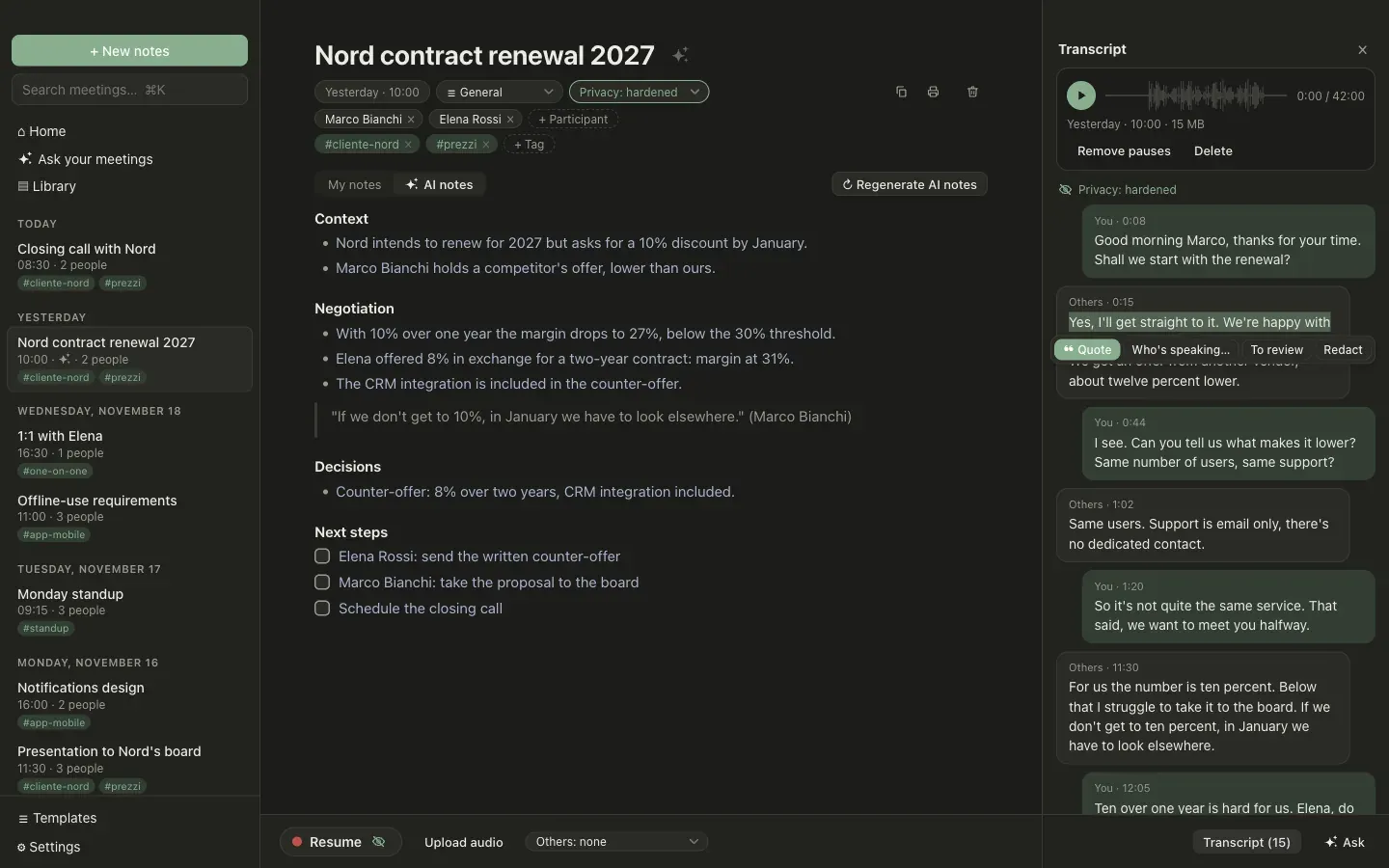
Section titled “The eye”The level is always visible, as an eye on the Record button and at the top of the transcript:
- an open eye is standard,
- a half-closed eye is local audio,
- a crossed-out eye is hardened.
Copying and printing
Section titled “Copying and printing”Copying a note as Markdown and printing it take the text out of Granello. For a hardened meeting, or one with parts to review, the first click warns you and the second one goes ahead.
Good to know
Section titled “Good to know”- You can change the level at any time. It applies from then on: what was already sent is not taken back.
- The chat across all meetings leaves out the meetings that may not go to the model in use.