
AI notes, templates and chat
AI notes
Section titled “AI notes”Generate AI notes merges your own notes and the transcript into complete notes, with context, decisions and next steps. The text appears as it is written, and you can stop it.
- The AI notes are editable, like your own notes.
- Your own notes are not replaced: they stay in the My notes tab.
- Regenerate asks for confirmation, because it replaces the current AI notes and your edits to them. If a regeneration fails, the existing AI notes are left untouched.
- The moments you marked while recording tell the AI which parts mattered to you.
Templates
Section titled “Templates”A template tells the AI how to structure the notes. Granello comes with General, 1:1, Standup, Interview and Client meeting, and you can add your own in Templates.
A template has two parts:
- Instructions for the AI: the sections and the rules for the AI notes.
- Starting notes (optional): an agenda, section headings or a checklist, written with the same editor as your notes. They fill your notes when you pick the template on a meeting whose notes are still empty. Notes you already wrote are never replaced.
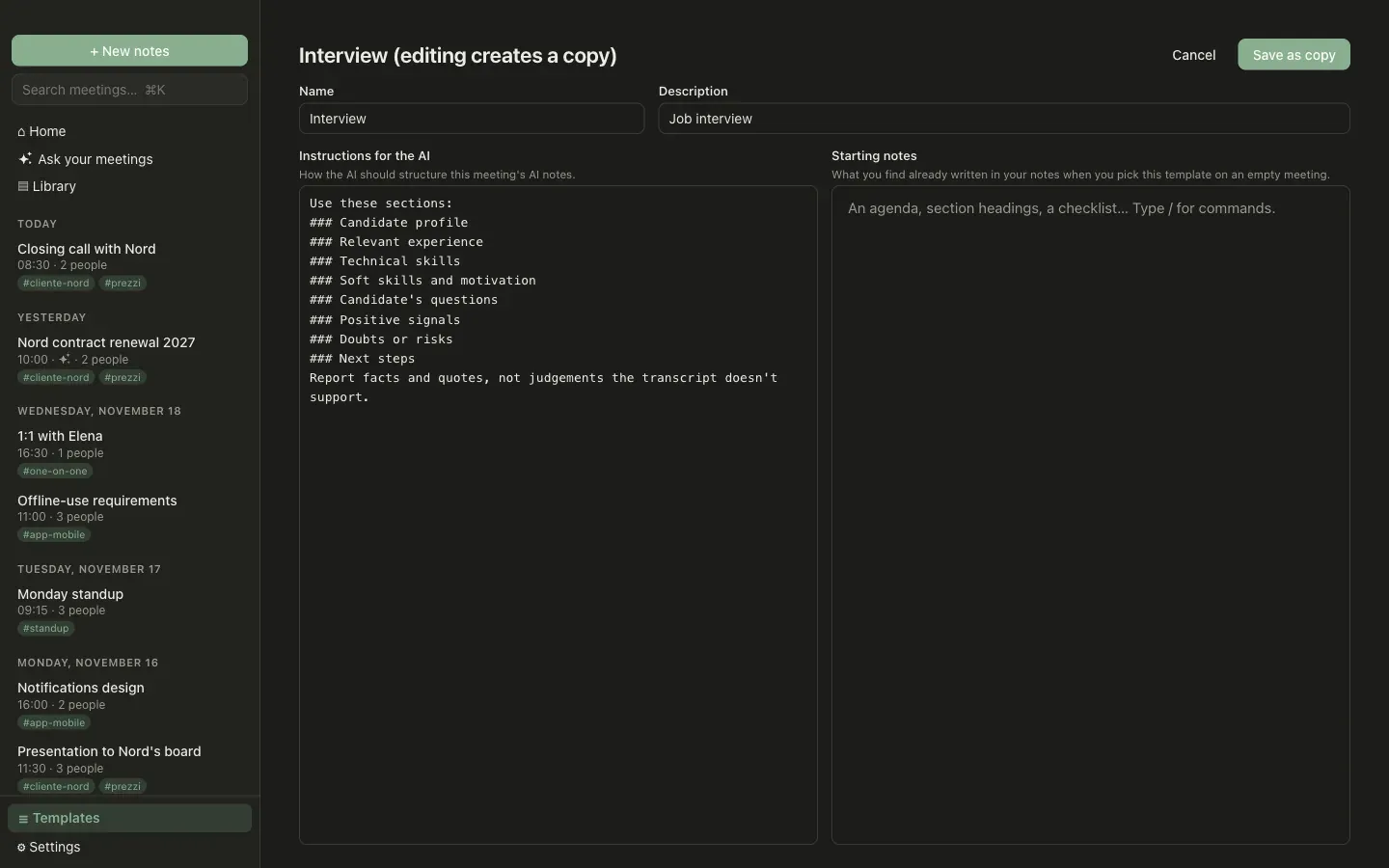
Built-in templates cannot be changed: editing one saves a copy.
You choose the template of each meeting in its header.
- Ask inside a meeting answers from that meeting’s notes and transcript.
- Ask your meetings in the sidebar answers across all meetings: a full-text search finds the relevant ones, and the answer cites their title and date.
The chat sends text to the AI provider you configured. Meetings that may not go to that model, because they are hardened or have parts to review, are left out. See privacy levels.