
Write notes
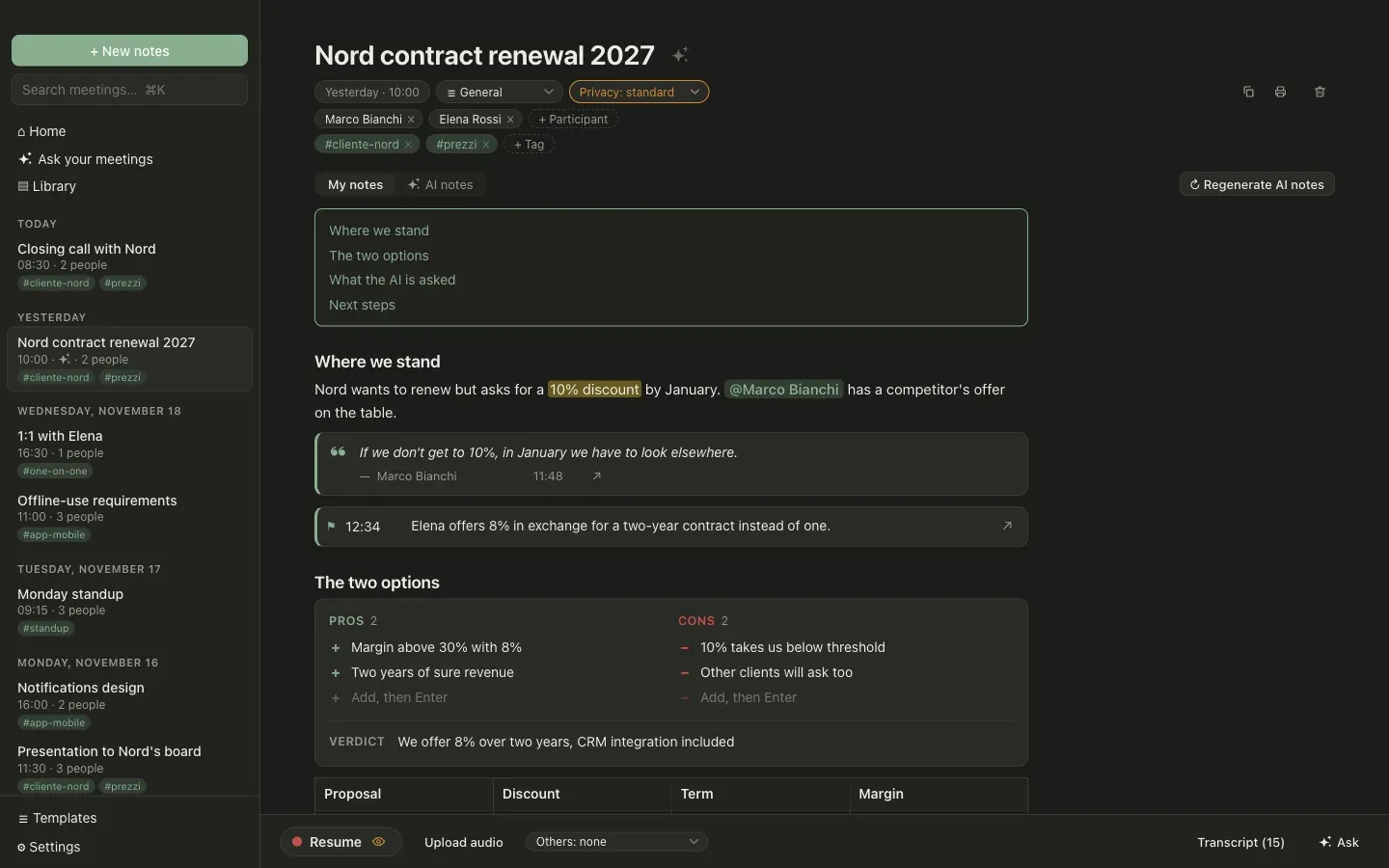
Notes are written in a Markdown editor and saved as you type. Type / for the command menu; select text for the formatting bar.
Blocks
Section titled “Blocks”Everything is saved as readable Markdown, so your notes are still yours outside Granello.
| Block | How to insert it | In Markdown |
|---|---|---|
| Table | | + space |
a Markdown table |
| Callout | ! + space |
> [!NOTE], > [!WARNING], > [!DECISION] |
| Collapsible section | / menu |
::: details Title … ::: |
| Columns | / menu |
:::: columns with a ::: column each |
| Image, attachment | paste, drop or / menu |
 |
| Link preview | / menu |
[Title](https://… "preview") |
| Formula | $x^2$, $$ + space |
$…$, $$ … $$ |
| Table of contents | / menu |
[[toc]] |
| Highlight | ⌘⇧H | ==text== |
| Person | @ |
@[Name] |
| Date | / menu |
[[2026-11-26]] |
| Poll | / menu |
::: poll Question |
| Kanban board | / menu |
::: kanban |
| Timeline | / menu |
::: timeline |
| Pros and cons | / menu |
::: pros-cons |
| Decision matrix | / menu |
::: matrix around a table |
| Star rating | / menu |
[[rating:4]] |
| Timer | / menu |
[[timer:05:00]] |
| Progress bar | / menu |
[[progress]] |
| Chart | / menu |
[[chart:bar]], [[chart:line]] |
| Diagram | / menu |
a mermaid code block |
| Whiteboard | / menu |
a sketch code block |
| Embed | / menu |
[Title](https://… "embed") |
| Live AI block | / menu |
::: ai Request … ::: |
| Transcript quote | select text in the transcript | ::: quote 12:34 Name … ::: |
| Moment marker | ⇧⌘M while recording | ::: moment 12:34 … ::: |
Quotes from the transcript
Section titled “Quotes from the transcript”Select a sentence in the Transcript panel and press ❝ Quote. The note gets a quote with who said it and the minute; ↗ on the quote reopens the transcript at that point.
Find and replace
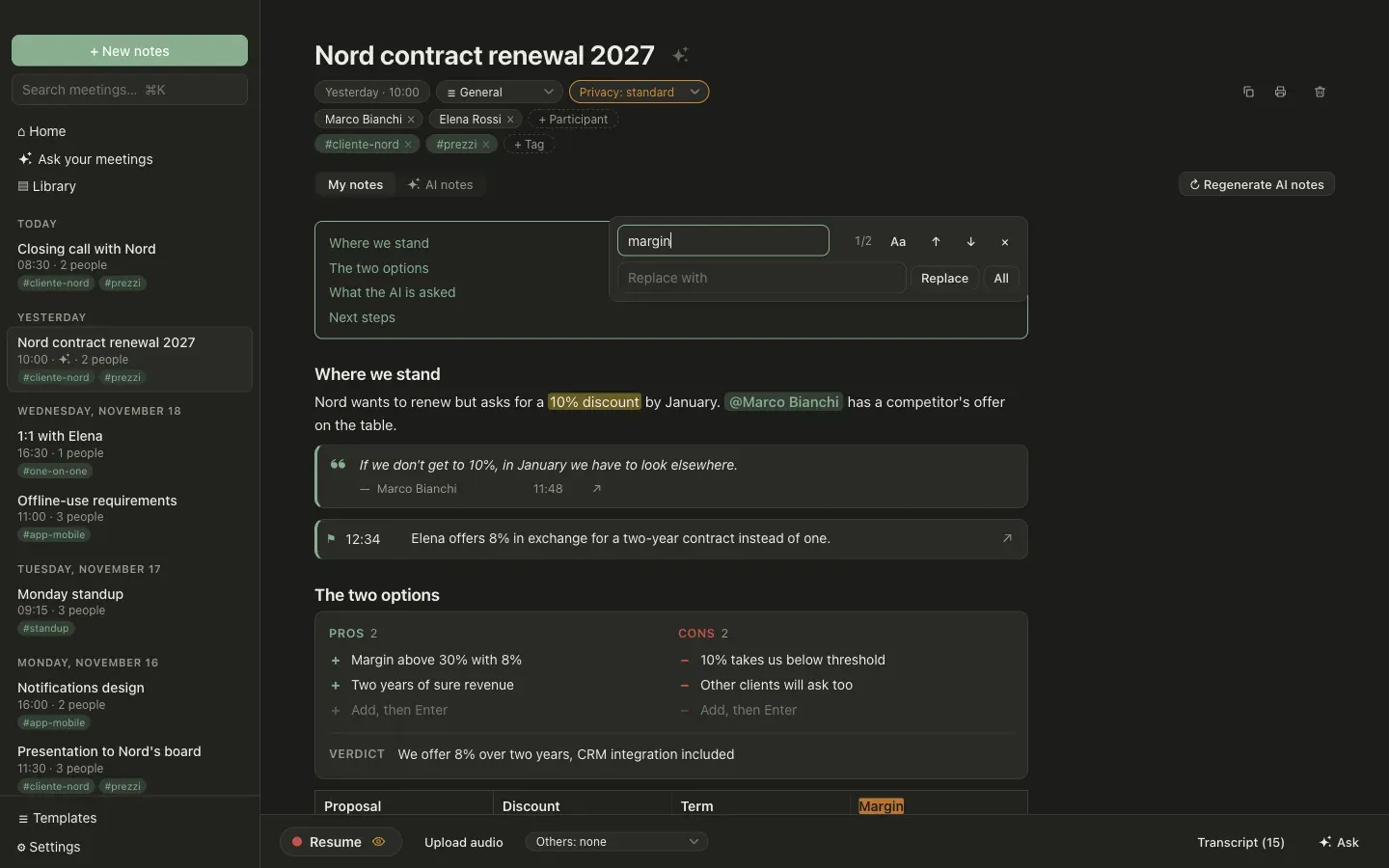
Section titled “Find and replace”⌘F opens find and replace inside a note. Matches are highlighted, Enter and Shift Enter move between them, and All replaces every match with a single undo. It searches the note’s text; blocks made of data (polls, kanban boards, quotes) are left out.
Copy, print, delete
Section titled “Copy, print, delete”The three icons at the top right of a meeting copy the note as Markdown, print it (or save it as PDF) and delete the meeting.
AI inside the editor
Section titled “AI inside the editor”- A live AI block holds a request, such as “summarize the client’s objections”, and its answer. The answer is recomputed while you record and once more when the transcription ends.
- ✦ on a poll, kanban board, timeline, pros and cons, decision matrix or diagram creates or edits the block from a request.
- ✦ on selected text rewrites it: shorten, translate, expand.
- ✦ next to the title proposes a title from notes and transcript.
Each of these sends the notes and the transcript to the AI provider you configured. See privacy levels for meetings where that must not happen.